Square Land
1 Objectives
The objective for this section is to introduce the ggplot2 functions for plotting spatial data.
2 Introduction
The ggplot2 package is the default plotting package for most R users. The key functions are geom_sf and coord_sf. A close reading of the help menu can speed the generation of plots. For those in a hurry, I’d recommend Chapter 6 “Maps” in “ggplot2: Elegant Graphics for Data Analysis (3e)” by Hadley Wickham (Wickham, 2016). We’ll begin with a simple square and then move to an example of multiple squares.
3 Packages Required
4 First Plot - Square
Let’s create as simple an object as possible so that we can focus on the syntax; repeat some of the sf functions and the sfg >> sfc >> sf pipeline; and show the multiple ways that ggplot2 syntax can result in a plot.
4.1 Create Object
To get started, a square polygon will be created at the (0, 0), the intersection of the Prime Meridian and the Equator. Each side will be one unit in length and because the CRS “WGS 84 / 4326” will be assigned, that unit is a degree.
4.2 Syntax
The three plots are put side-by-side to show that while the syntax changes, the output does not. You can expect the syntax to change throughout the discussion.
square |>
ggplot() +
geom_sf() -> p1
ggplot(square) +
geom_sf() -> p2
ggplot() +
geom_sf(data = square) -> p3
p1 + p2 + p3 + plot_annotation(tag_levels = "A")- 1
-
A plot where the dataset is “piped” into the
gglot()function. - 2
-
A plot where the dataset is within the
ggplot()call. - 3
-
A plot where the datset is included within the
geom_sf(). - 4
-
The three plots were saved and then placed on a grid using the
patchworkpackage.
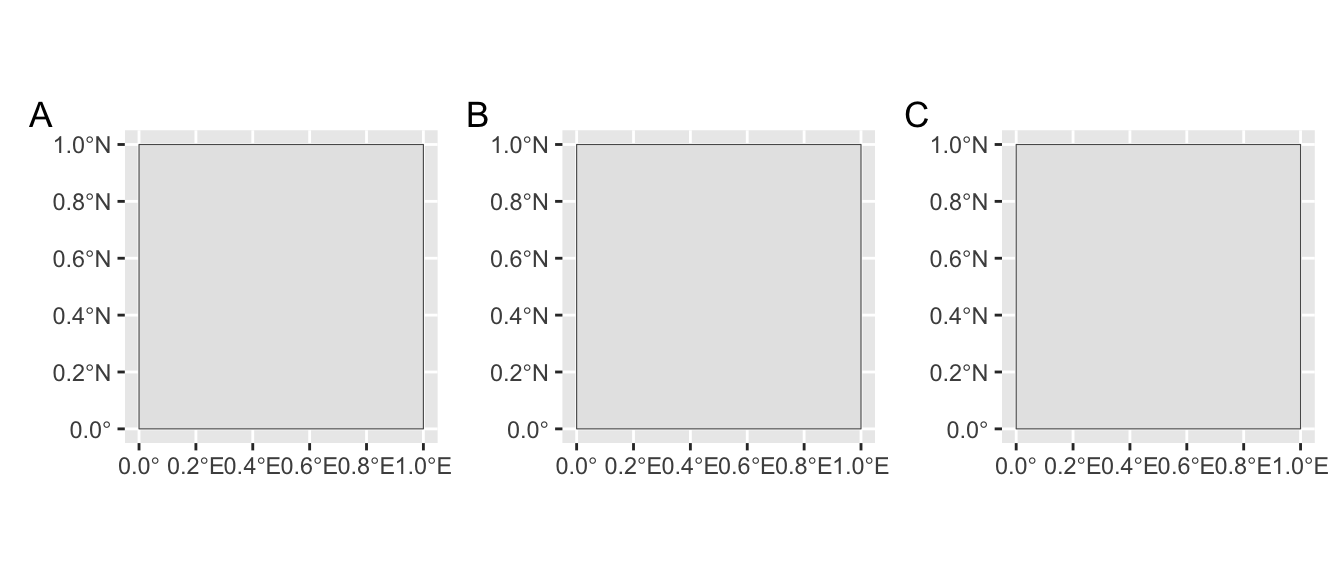
Terrific! With a minimal effort, a plot was generated using ggplot2. I know it doesn’t look like much, but don’t worry, we’ll continue to improve upon it.
4.3 Layering
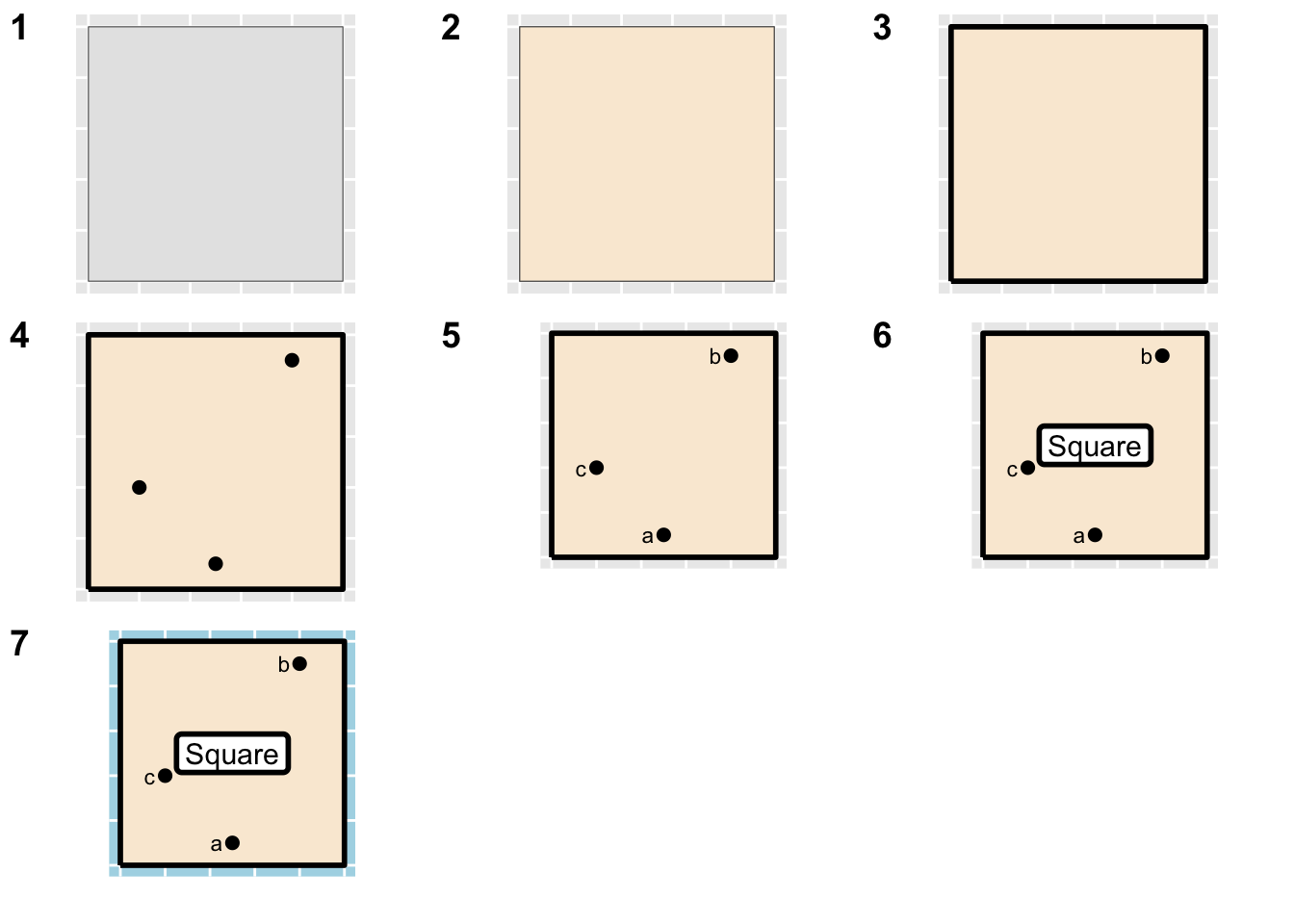
Plots and maps are created by layer. It is useful to think about the order in which they will be drawn. There are as many layers as there are potential datasets. At some point, the map becomes so jumbled that adding an additional layer is not possible and certainly not attractive. Here, is a basic illustration.
library(ggplot2)
sf::st_polygon(list(rbind(c(0,0), c(0,1), c(1,1),
c(1,0), c(0,0)))) %>%
st_sfc(., crs = 4326) %>%
st_sf(name = "Square", geometry = .) -> country
country %>% st_boundary(.) -> boundary
st_sfc(st_point(c(.5, .1)),
st_point(c(.8, .9)),
st_point(c(.2, .4)),
crs = 4326) %>%
st_sf(name = letters[1:3], .) -> cities
country %>% st_centroid(.) -> center
ggplot() +
geom_sf(data = country) +
coord_sf(label_axes = "----") -> layer_1
layer_1 + geom_sf(data = country, fill = "antiquewhite") +
coord_sf(label_axes = "----") -> layer_2
layer_2 + geom_sf(data = boundary, lwd = 1) +
coord_sf(label_axes = "----") -> layer_3
layer_3 + geom_sf(data = cities, size = 2) +
coord_sf(label_axes = "----") -> layer_4
layer_4 + geom_sf_text(data = cities,
mapping = aes(label = name),
nudge_x = -.07,
size = 3) +
coord_sf(label_axes = "----") +
labs(x = "", y = "") -> layer_5
layer_5 + geom_sf_label(data = center,
mapping = aes(label = name),
size = 4,
label.size = 1) +
coord_sf(label_axes = "----") -> layer_6
layer_6 +
coord_sf(label_axes = "----") +
theme(panel.background = element_rect(fill = "lightblue")) -> layer_7
cowplot::plot_grid(
layer_1, layer_2, layer_3, layer_4, layer_5,
layer_6, layer_7,
nrow = 3,
ncol = 3,
labels = 1:7
)
# (layer_1 + layer_2 + layer_3) /
# (layer_4 + layer_5 + layer_6) /
# (layer_7 + plot_spacer() + plot_spacer())- 1
- A square polygon created and assigned to variable country.
- 2
- The boundary is created from the country.
- 3
- Three random points are created and assigned to variable cities.
- 4
- Center of country is calculated for label placement.
- 5
- Seven layers are created.
4.4 Themes
Themes are a great way to quickly spruce up a plot and ggplot2 offers quite a few of them. You can learn more by checking help ?ggplot2::themes. I prefer to use minimal ornamentation and you’ll find the theme_void() can be helpful when assembling plots in a grid.
square %>%
ggplot() +
geom_sf(fill = "antiquewhite") +
coord_sf(label_axes = "----") +
scale_x_continuous(limits = c(-.5, 1.5)) +
scale_y_continuous(limits = c(-.5, 1.5)) -> square_map

square_map + theme_void()    -> theme_1
square_map + theme_minimal() -> theme_2
square_map + theme_bw()      -> theme_3
square_map + theme_light()   -> theme_4

plot_grid(theme_1, theme_2, theme_3, theme_4,
          nrow = 2, labels = 1:4)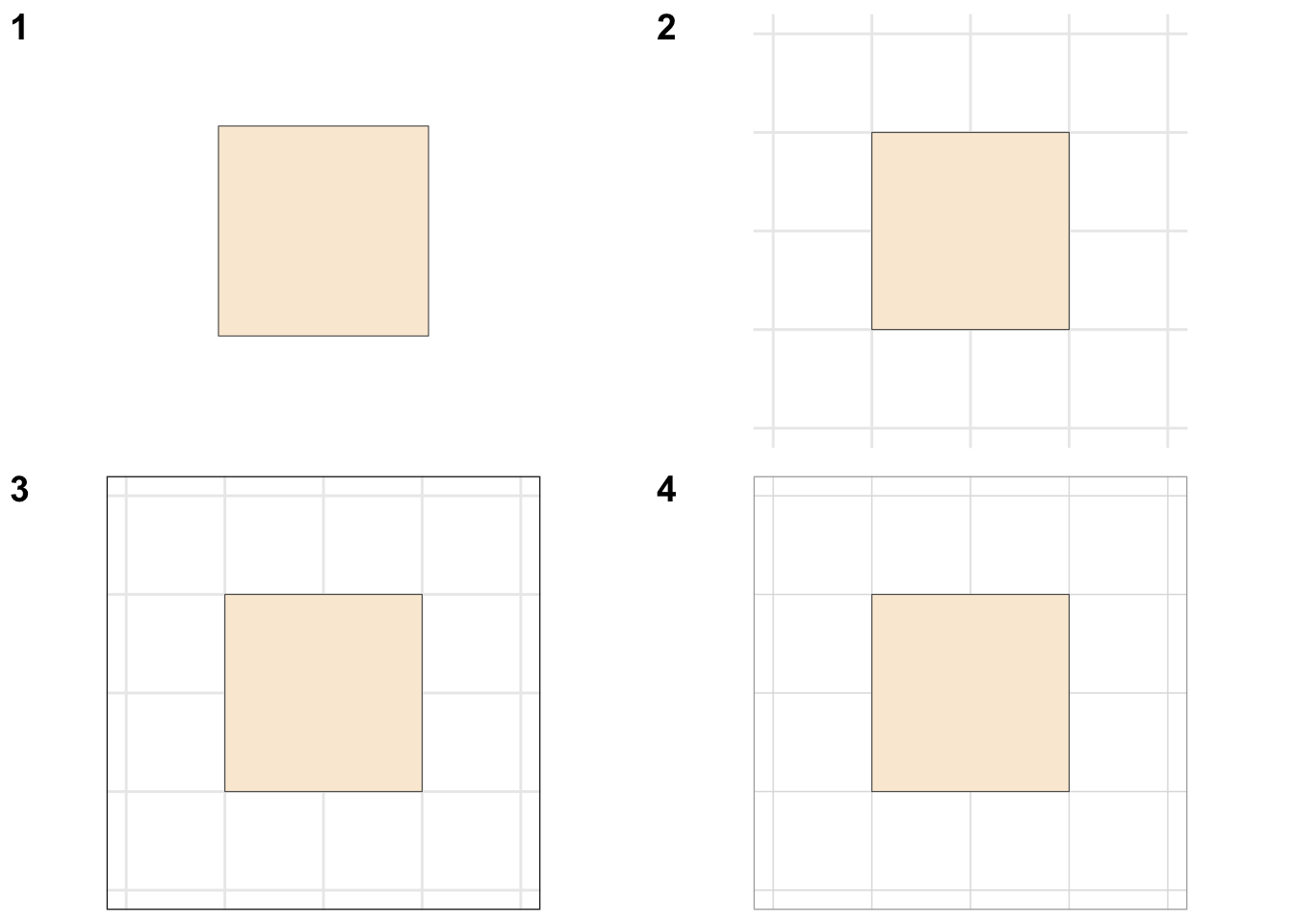
theme void(), (2) theme minimal(), (3) theme_bw(), and (4) theme_light().
5 Second Plot - Square Land
We’ll create Square Land features and then plot them.
5.1 Create
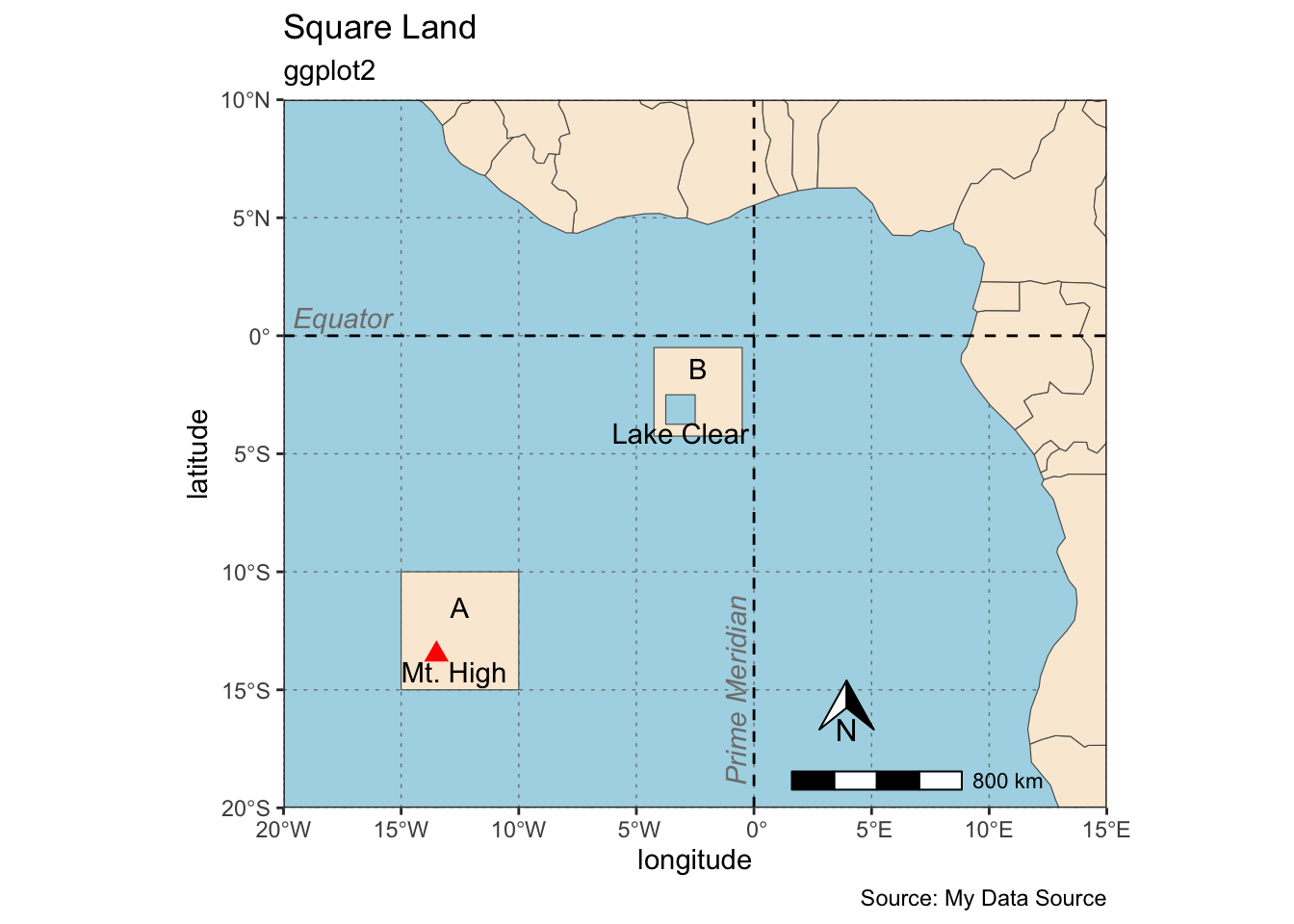
This second example will begin to resemble an actual map. First, Africa will be added as a base layer via the rnaturalearth package. Then, two sf class squares will be created. These will be squares again around the intersection of the Equator and the Prime Meridian. Then, a mountain, a lake, the Equator and Prime Meridian will be added along with the accompanying text and labels. Finally, the background will be colored blue to resemble water.
afrc <- rnaturalearth::ne_countries(continent = "Africa")
land_1 <- st_polygon(list(rbind(
c(-10, -10), c(-10, -15), c(-15, -15),
c(-15, -10), c(-10, -10))))
land_2 <- land_1 * .75 + 7
lake <- land_1 * .25
mountain <- st_centroid(land_1 - 1)
pm <- st_linestring(matrix(c(0, -20, 0, 20), ncol = 2, byrow = T))
eq <- st_linestring(matrix(c(-20, 0, 20, 0), ncol = 2, byrow = T))
land_sfc = st_sfc(list(land_1, land_2))
lake_sfc = st_sfc(lake)
mountain_sfc <- st_sfc(mountain)
pm_sfc <- st_sfc(pm)
eq_sfc <- st_sfc(eq)
land_sfc_wgs = st_sfc(land_sfc, crs = "OGC:CRS84")
lake_sfc_wgs = st_sfc(lake_sfc, crs = "OGC:CRS84")
mountain_sfc_wgs <- st_sfc(mountain_sfc, crs = "OGC:CRS84")
pm_sfc_wgs <- st_sfc(pm_sfc, crs = "OGC:CRS84")
eq_sfc_wgs <- st_sfc(eq_sfc, crs = "OGC:CRS84")
country <- c("A", "B")
land_sfc_wgs_df = st_sf(country = country, land_sfc_wgs)
name <- "Mt. High"
mountain_sfc_wgs_df = st_sf(name = name, mountain_sfc_wgs)
name <- "Lake Clear"
lake_sfc_wgs_df <- st_sf(name = name, lake_sfc_wgs)
name <- "Equator"
eq_sfc_wgs_df <- st_sf(name = name, eq_sfc_wgs)
name <- "Prime Meridian"
pm_sfc_wgs_df <- st_sf(name = name, pm_sfc_wgs)- 1
- Add the base layer Africa.
- 2
-
Create simple features of
sfgclass - 3
-
Combine some shapes and convert all to
sfcclass. - 4
- Assign CRS.
- 5
-
Add attributes/labels and convert to
sf.
5.2 Plot
From the sheer length of the code below, you can see that creating and plotting maps can be a lengthy and tedious process. Label/text placement can take a lot of time. While there are some improvements to be made, I think the plot encapsulates the process and gives you a strategy to plot your own.
ggplot() +
geom_sf(data = afrc, fill = "antiquewhite") +
geom_sf(data = land_sfc_wgs_df, fill = "antiquewhite") +
geom_sf(data = lake_sfc_wgs_df, fill = "lightblue") +
geom_sf(data = mountain_sfc_wgs_df,
color = "red", shape = 17, size = 3) +
geom_sf(data = pm_sfc_wgs_df, linetype = "dashed") +
geom_sf(data = eq_sfc_wgs_df, linetype = "dashed") +
geom_sf_text(data = land_sfc_wgs_df,
aes(label = country),
nudge_y = 1) +
geom_sf_text(data = mountain_sfc_wgs_df,
aes(label = name),
nudge_y = -.75,
nudge_x = .75) +
geom_sf_text(data = lake_sfc_wgs_df,
aes(label = name),
nudge_y = -1) +
geom_sf_text(data = eq_sfc_wgs_df,
aes(label = name),
nudge_y = .75,
nudge_x = 2.5,
color = "gray50",
fontface = "italic") +
annotate(geom = "text", x = -.75, y = -15, label = "Prime Meridian",
fontface = "italic", color = "grey50", angle = 90) +
coord_sf(xlim = c(-20, 15),
ylim = c(-20, 10),
expand = F) +
annotation_north_arrow(
which_north = "grid",
height = unit(.75, "cm"),
width = unit(.75, "cm"),
location = "br",
pad_x = unit(3.2, "cm"),
pad_y = unit(1, "cm")
) +
annotation_scale(pad_x = unit(2.75, "in")) +
labs(title = "Square Land",
subtitle = "ggplot2",
x = "longitude",
y = "latitude",
caption = "Source: My Data Source") +
theme_bw() +
theme(panel.grid.major = element_line(
color = gray(.5),
linetype = "dotted",
linewidth = 0.25),
panel.background = element_rect(
fill = "lightblue")
)- 1
-
Call
ggplot. - 2
-
Add
geom_sflayers. - 3
- Add text/label annotations.
- 4
- Limit window to area of interest.
- 5
- Add directional indicator.
- 6
- Add scale.
- 7
- Add axis and title labels.
- 8
- Set theme.
- 9
- Modify theme.
6 Key Points
maps are created by layering
ggplot2key functions for maps aregeom_sfandcoord_sfgeom_sfwill use the coordinate reference system from the first layer to be plotted so long as it’s not been set with thecrsargumentggspatialpackage can add a directional indicator and a scale bargeom_sf_textwill add text to the plot for labeling featuresthemes can quickly polish a plot and give it a finished look